Margin vs. Markup: What’s the Difference?
Margin vs. Markup: What’s the Difference?
Margin and markup are two common financial terms used to understand pricing and profitability. Although they are related, they are not the same calculation.
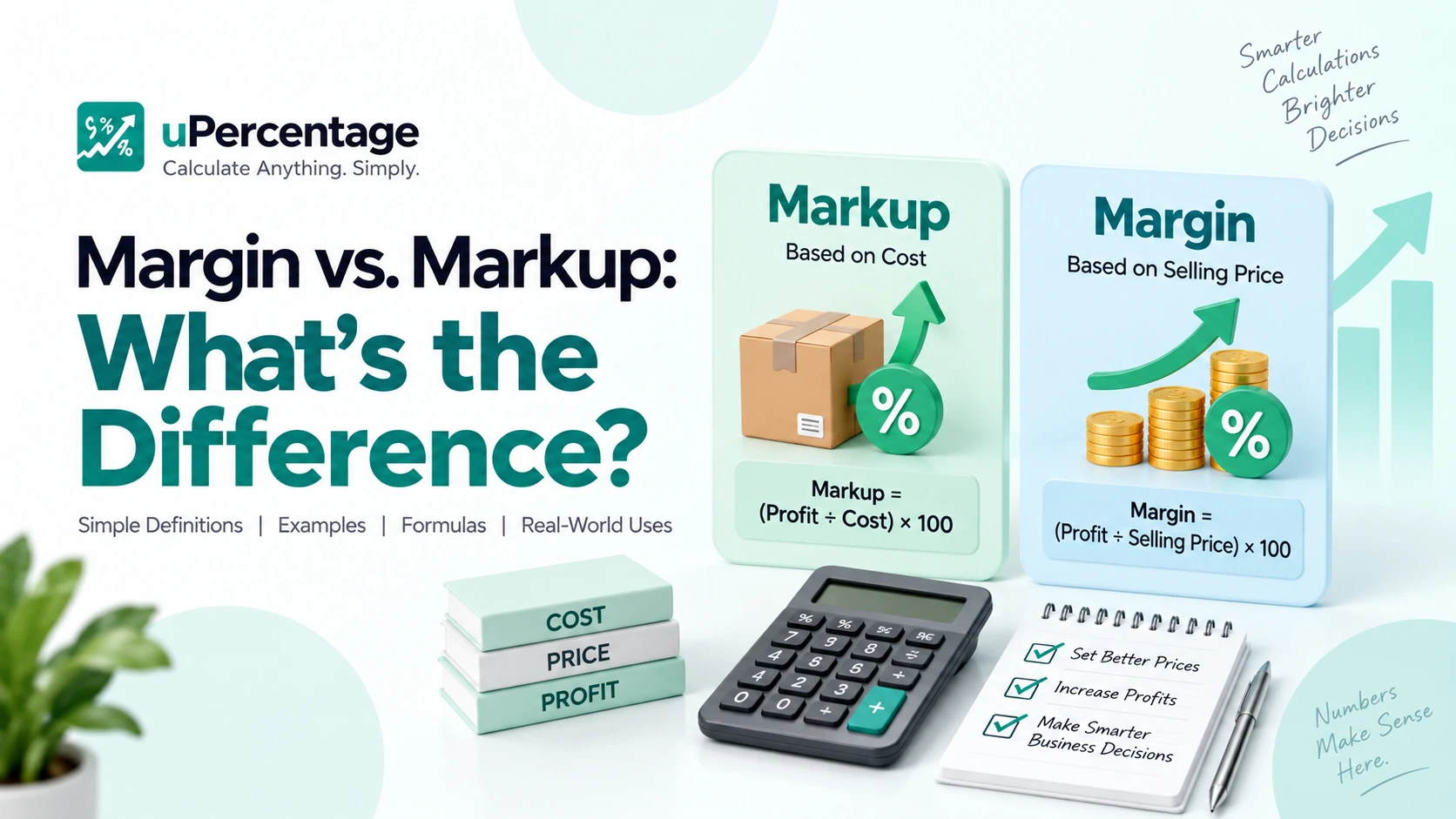
The main difference is the number each percentage is based on. Markup is calculated from cost, while margin is calculated from selling price or revenue.
Understanding this difference is useful for setting prices, analyzing profits, and evaluating business performance.
If you want to calculate these values quickly, you can use the free Margin Calculator, Markup Calculator, or Profit Margin Calculator on uPercentage.
What Is Markup?
Markup is the amount added to the cost of a product to determine its selling price.
For example, suppose a product costs $50 to purchase and you sell it for $75.
The profit is:
$75 − $50 = $25
The markup percentage is calculated using the original cost:
Markup = (Profit ÷ Cost) × 100
So:
($25 ÷ $50) × 100 = 50%
The markup is therefore 50%.
You can use the Markup Calculator to calculate markup quickly.
What Is Profit Margin?
Profit margin measures profit as a percentage of the selling price or revenue.
Using the same example:
- Cost = $50
- Selling price = $75
- Profit = $25
The profit margin is:
Profit Margin = (Profit ÷ Selling Price) × 100
Therefore:
($25 ÷ $75) × 100 = 33.33%
So the business has a 33.33% profit margin, even though the markup is 50%.
This is why markup and margin should not be treated as interchangeable terms.
You can calculate profit margin using the Profit Margin Calculator.
Margin vs. Markup: The Key Difference
The easiest way to remember the difference is:
Markup is based on cost.
Margin is based on selling price.
For example, if a product costs $100 and sells for $150:
Profit = $150 − $100 = $50
Markup:
($50 ÷ $100) × 100 = 50%
Margin:
($50 ÷ $150) × 100 = 33.33%
So:
| Calculation | Formula | Result |
|---|---|---|
| Markup | Profit ÷ Cost × 100 | 50% |
| Profit Margin | Profit ÷ Selling Price × 100 | 33.33% |
The same transaction can therefore have a 50% markup and a 33.33% profit margin.
How to Calculate Markup
The basic markup formula is:
Markup Percentage = ((Selling Price − Cost) ÷ Cost) × 100
Example
A store buys a product for $40 and sells it for $60.
First, calculate the profit:
$60 − $40 = $20
Then:
($20 ÷ $40) × 100 = 50%
The markup is 50%.
If you’re working with multiple products, the Markup Calculator can make these calculations faster.
How to Calculate Profit Margin
The basic profit margin formula is:
Profit Margin = ((Selling Price − Cost) ÷ Selling Price) × 100
Example
A product costs $40 and sells for $60.
Profit:
$60 − $40 = $20
Profit margin:
($20 ÷ $60) × 100 = 33.33%
The profit margin is 33.33%.
For a quick calculation, use the Profit Margin Calculator.
How to Convert Markup to Margin
You can convert a markup percentage into a profit margin.
The formula is:
Margin = Markup ÷ (1 + Markup)
When using percentages, convert the markup to a decimal first.
For example, suppose the markup is 50%.
Convert it to a decimal:
50% = 0.50
Then:
0.50 ÷ 1.50 = 0.3333
Convert back to a percentage:
33.33%
So a 50% markup equals a 33.33% margin.
How to Convert Margin to Markup
You can also convert a profit margin into a markup.
The formula is:
Markup = Margin ÷ (1 − Margin)
For example, suppose the desired profit margin is 25%.
Convert it to a decimal:
25% = 0.25
Then:
0.25 ÷ 0.75 = 0.3333
Therefore:
Markup = 33.33%
A 25% margin requires approximately a 33.33% markup.
Why Does the Difference Between Margin and Markup Matter?
The distinction matters because using the wrong percentage can lead to incorrect pricing decisions.
For example, a business might want a 30% profit margin but accidentally apply a 30% markup to its costs.
These produce different results.
Suppose the cost is $100.
With a 30% markup:
$100 × 1.30 = $130
Profit:
$30
Profit margin:
($30 ÷ $130) × 100 = 23.08%
So a 30% markup does not produce a 30% profit margin.
This difference becomes especially important when setting prices for products or services.
Margin vs. Markup Examples
Here are a few simple examples:
Example 1: $50 Cost, $100 Selling Price
Profit:
$100 − $50 = $50
Markup:
($50 ÷ $50) × 100 = 100%
Margin:
($50 ÷ $100) × 100 = 50%
Example 2: $80 Cost, $100 Selling Price
Profit:
$100 − $80 = $20
Markup:
($20 ÷ $80) × 100 = 25%
Margin:
($20 ÷ $100) × 100 = 20%
Example 3: $200 Cost, $300 Selling Price
Profit:
$300 − $200 = $100
Markup:
($100 ÷ $200) × 100 = 50%
Margin:
($100 ÷ $300) × 100 = 33.33%
These examples show why the same profit can result in different markup and margin percentages.
Where Are Margin and Markup Used?
Margin and markup calculations are useful in many areas of business.
Retail
Retailers use markup to determine selling prices based on product costs.
E-commerce
Online sellers can use markup calculations to account for product costs, shipping, platform fees, and other expenses.
Wholesale
Wholesalers often use markup when determining prices for products sold to retailers.
Business Analysis
Profit margin helps businesses evaluate how much revenue remains as profit after considering relevant costs.
Pricing Decisions
Both calculations can help businesses understand the relationship between cost, selling price, and profit.
Is a Higher Markup Always a Higher Profit?
Not necessarily.
A higher markup percentage can increase the selling price, but actual profit depends on several factors, including sales volume, operating costs, discounts, taxes, and other expenses.
For example, a product with a high markup may sell fewer units because of its higher price.
That is why businesses often look at both pricing and profitability rather than relying on markup alone.
Margin vs. Markup: Quick Summary
The simplest way to remember the difference is:
Markup = Profit ÷ Cost
Margin = Profit ÷ Selling Price
If a product costs $100 and sells for $150:
- Profit = $50
- Markup = 50%
- Profit margin = 33.33%
So, margin and markup describe the same transaction from two different perspectives.
Use the Margin Calculator, Markup Calculator, or Profit Margin Calculator when you need a quick calculation.
Frequently Asked Questions
Find quick answers to common questions about margin, markup, profit, and pricing.
What is the difference between margin and markup?
Markup is calculated based on the cost of a product, while margin is calculated based on the selling price. For example, a product that costs $100 and sells for $150 has a 50% markup but a 33.33% profit margin.
What is the formula for markup?
The markup formula is ((Selling Price − Cost) ÷ Cost) × 100. For example, if a product costs $50 and sells for $75, the markup is (($75 − $50) ÷ $50) × 100 = 50%.
What is the formula for profit margin?
The profit margin formula is ((Selling Price − Cost) ÷ Selling Price) × 100. For example, if a product costs $50 and sells for $75, the profit margin is 33.33%.
Is a 50% markup the same as a 50% margin?
No. A 50% markup is not the same as a 50% profit margin. For example, if a product costs $100 and has a 50% markup, it sells for $150. The resulting profit margin is 33.33%.
How do I convert markup to margin?
To convert markup to margin, use Markup ÷ (1 + Markup). For example, a 50% markup is 0.50 ÷ 1.50 = 0.3333, or a 33.33% profit margin.
How do I convert margin to markup?
To convert margin to markup, use Margin ÷ (1 − Margin). For example, a 25% profit margin requires approximately a 33.33% markup.
Why is margin lower than markup?
Margin and markup use different bases. Markup measures profit relative to cost, while margin measures profit relative to selling price. Because the selling price is higher than the cost when there is a profit, the resulting margin percentage is usually lower than the markup percentage.
Can I calculate margin and markup with uPercentage?
Yes. The uPercentage Margin Calculator, Markup Calculator, and Profit Margin Calculator are free online tools that can help you calculate these values quickly.